Choose body and code separately
Set the body typeface and weight, and the monospace typeface, from options such as M PLUS Rounded 1c and Noto Sans JP.
JAPANESE FONT REPLACER · SAFARI EXTENSION
Switch Safari's text to the font you like.
Replaces the body text and code display of web pages with your preferred Japanese fonts in Safari on iPhone and iPad. Pick the typeface and weight right from the extension's popup.

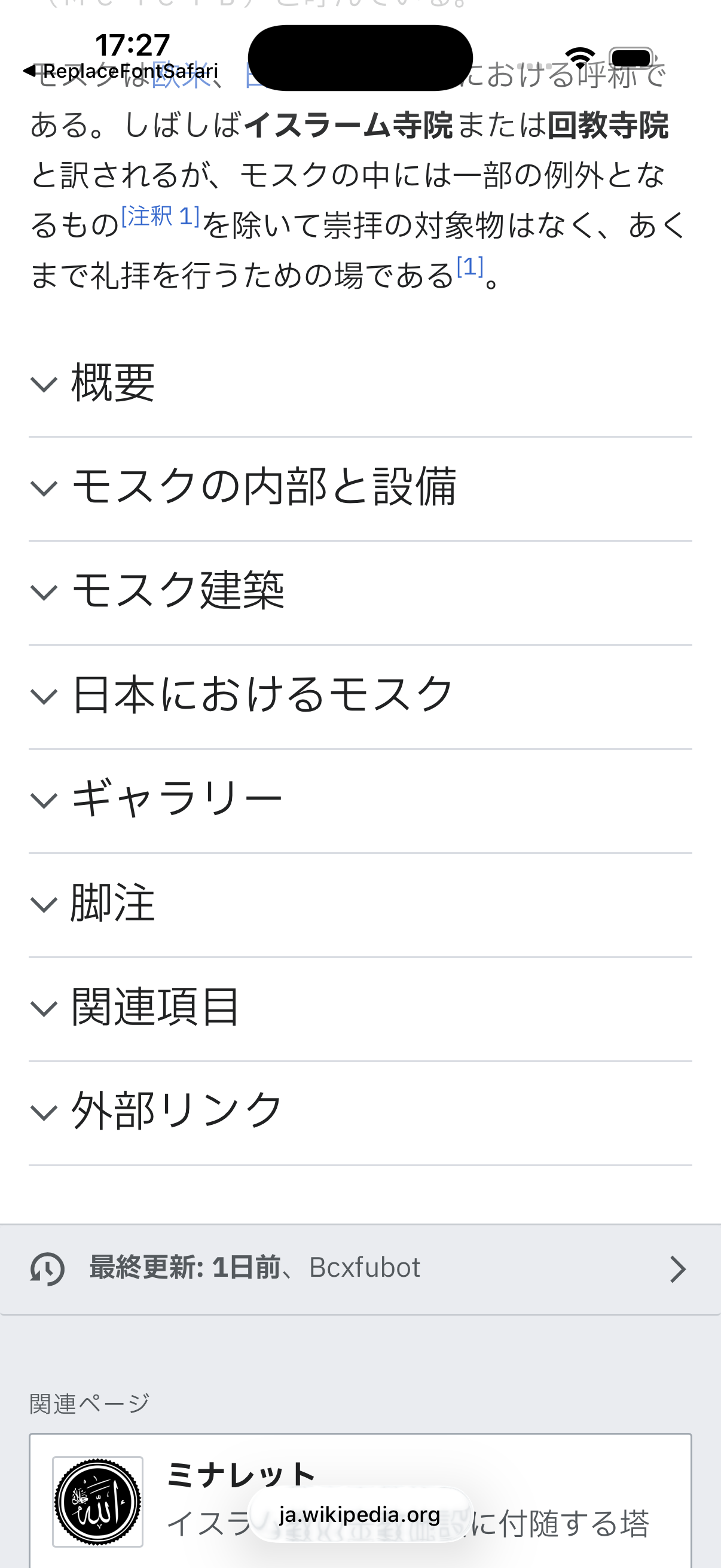
READ THE WEB YOUR WAY
Fonts are bundled with the extension. It doesn't connect to any external font service, and applies them on your device to pages opened in Safari.
Set the body typeface and weight, and the monospace typeface, from options such as M PLUS Rounded 1c and Noto Sans JP.
Input fields, buttons, links, icons and more can be excluded from replacement where needed, so the site's controls are less likely to break.
It does not collect browsing history, page content or input. The fonts you choose and the sites you exclude are saved only on your device.
REAL APP SCREENS
The app guides you through enabling the extension and granting website access; everyday switching is done from the Safari extension.
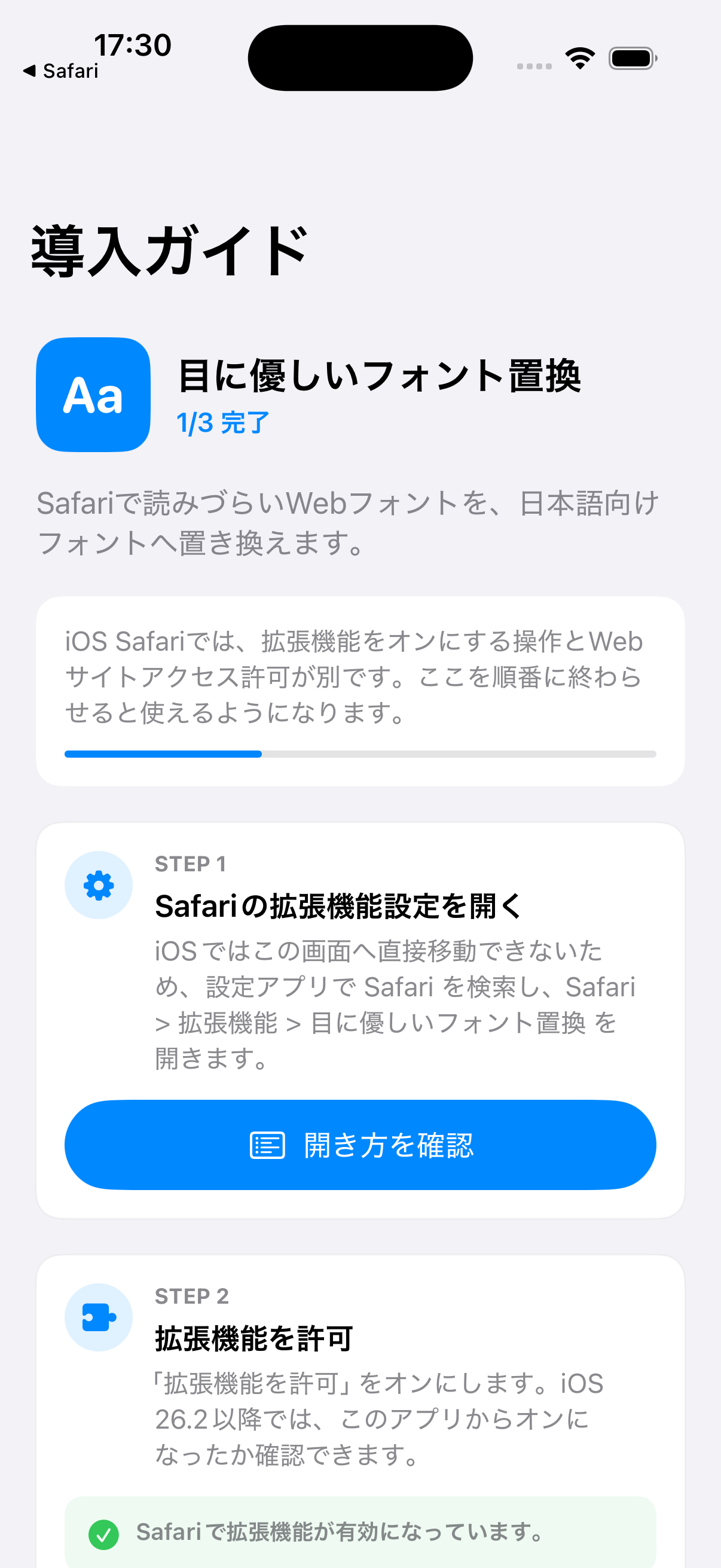
Steps to enable the Safari extension, and things to check when it doesn't work.
For body text you can choose a bundled font such as M PLUS Rounded 1c or Noto Sans JP. Font choice, on/off, and per-site exclusions are set from the Safari extension's popup.
Please use Kagayoi's contact form. It helps if you tell us the product name "Font Replace-kun", the app version, the iOS version and the symptoms you saw.
For how information sent through the form is handled, see the privacy policy on Kagayoi's website.
This policy is authoritative in its Japanese version. If there is any discrepancy between a translation and the Japanese version, the Japanese version prevails.
Last Updated: September 7, 2026
Public page: https://kagayoi.com/replacefont-safari#privacy
"Font Replace-kun" (hereinafter referred to as "the App") respects your privacy and is committed to protecting your personal information. This Privacy Policy explains what information is collected, how it is used, and how it is handled when using the App.
The App and its Safari Extension do NOT collect or transmit any of the following information:
The App stores the following data only on your device. None of this data is transmitted to external servers:
This data is deleted when you uninstall the App and Safari Extension.
The Safari Extension accesses the DOM (HTML structure) of web pages you are viewing in order to apply CSS for font replacement. It does not record or transmit page content, input data, or browsing history. A hostname is stored locally only when you register it as an excluded site.
The App does not share any information with third parties. We do not use any third-party analytics services, advertising networks, or SDKs.
The App is safe for users of all ages. We do not knowingly collect personal information from children under the age of 13.
If this Policy is updated, the revised version will be posted on this page. Significant changes will be communicated via app updates.
For questions or feedback regarding this Policy, use the support page below. If you choose to use the external website's contact form, your email address and message are transmitted and stored to handle your inquiry. See the Kagayoi website privacy policy for details.